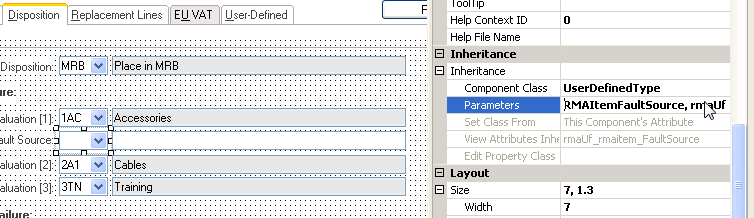
Change component class “UserDefinedType” to display description of UDT
Open the component class “UserDefinedType”, go to validator, add one more parameter %2 to the UserDefinedTypeValue validator.
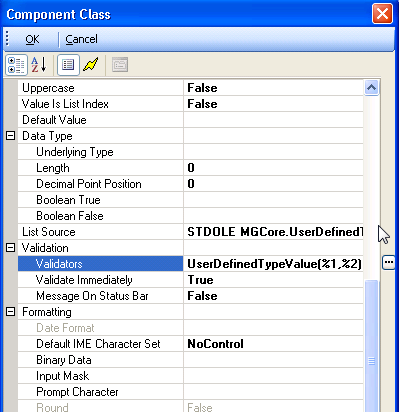
Open the validator, make sure %2 is there.
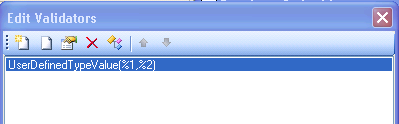
Then open the property of the validator.
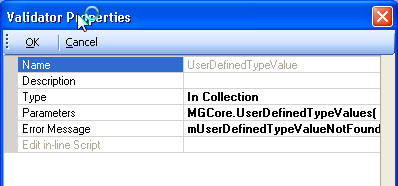
Open the Parameters screen
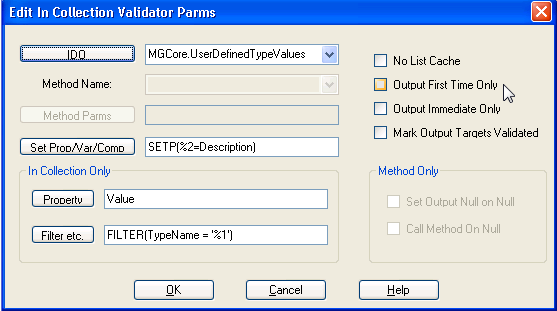
Set %=Description in Set Prop/Var/Comp section.
OK all the way back to save the change in Component Class. Now we have component class “UserDefinedType” ready to show description of user-defined-type as second parameters.
To use the component class, just put the field that you want the description display on as second paramenter of component class. Here is sample,